Re-exporting an invoice may be required due to a number of reasons. The following steps need to be followed.
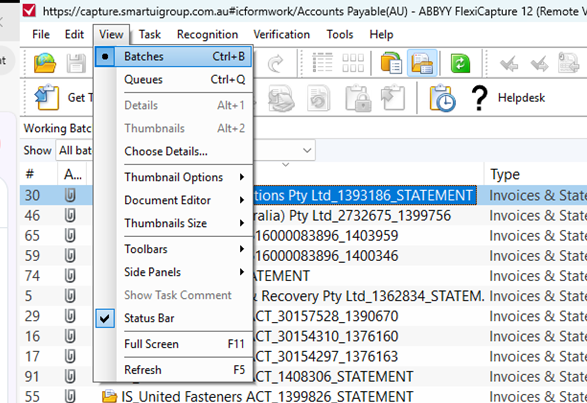
Find the task by changing the view to batches
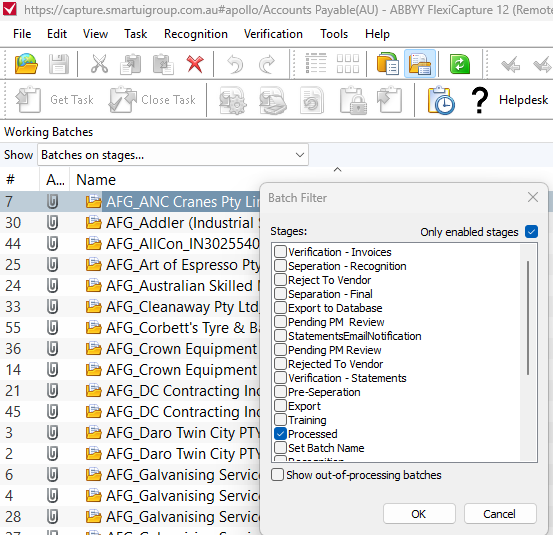
In the show drop down, change the view to Batches on Stages and tick the Processed checkbox
This will show all processed documents.
Locate the Invoice in the list (Ctrl F to find invoice using number)
Right click and Send to Stage...
Send to Exceptions
Go to the Exceptions queue
Open the Invoice
Scroll to the bottom and expand the Exported detail panel
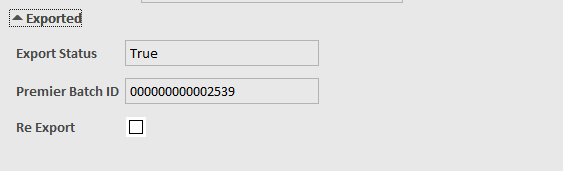
Check the Re Export check box
Complete Task
Was this article helpful?
That’s Great!
Thank you for your feedback
Sorry! We couldn't be helpful
Thank you for your feedback
Feedback sent
We appreciate your effort and will try to fix the article