Overview
Symptoms
User needs to recheck rules on each invoices to update to latest data or Version of the document. This is time consuming.
Suggested Resolution
User can use the Refresh Queue to apply "Recheck Rules" and "Update Document to Latest Version" to selected batches in the queue.
Steps:
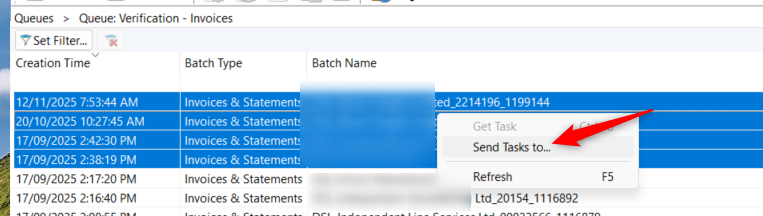
1) Select the batches in the Queue that you wish to apply to, and right click and select "Send Tasks To.."
2) Select the stage = "Refresh Queue" and add a comment if you wish to and click OK.
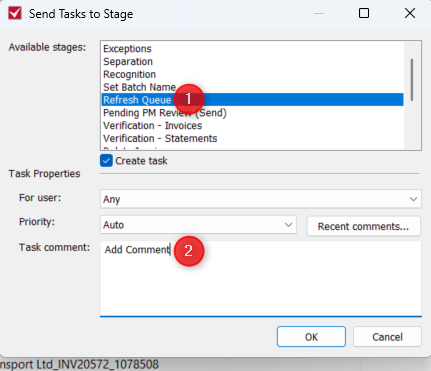
This would then send the selected documents and update them all with the latest data and Document Version.
Was this article helpful?
That’s Great!
Thank you for your feedback
Sorry! We couldn't be helpful
Thank you for your feedback
Feedback sent
We appreciate your effort and will try to fix the article