Steps to Process a Retention Release in SmartUi
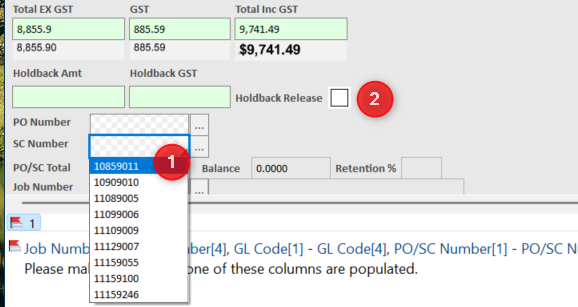
1. Populate SC Number if it is not extracted (This is a mandatory field for Retention Release)
2. Check the "Holdback Release" button
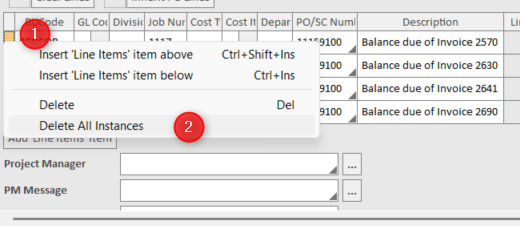
3. Ensure all line items is deleted, by right clicking on the first column of the table and select "Delete all Instances"
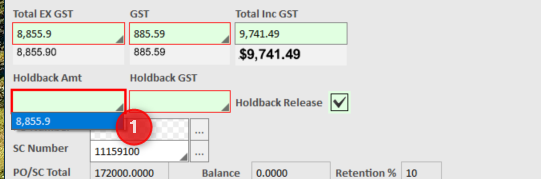
4. Set the Holdback Amount accordingly as per what is on the SubTotal (see below), and the GST will be calculated based on the SubContract Tax Setting.
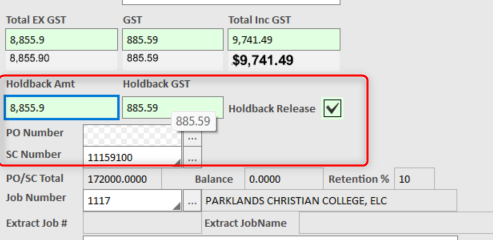
5. Once all the below 4 mandatory fields are populated without issue, the invoice is ready to be sent to Premier.
Was this article helpful?
That’s Great!
Thank you for your feedback
Sorry! We couldn't be helpful
Thank you for your feedback
Feedback sent
We appreciate your effort and will try to fix the article